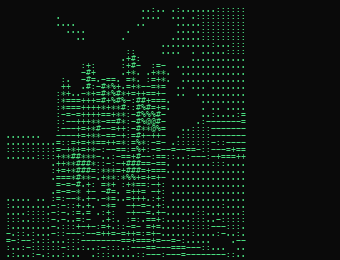
How does an image become ASCII art?
The image is sampled in a grid; each cell's brightness maps to a character — dark areas get dense glyphs like @ or #, light areas get dots or spaces. The ramp you pick decides the character palette.
Which settings give the best result?
Start with the Standard ramp at a moderate width and raise the contrast if the image looks washed out. High-contrast source photos with a clear subject translate best; busy low-contrast images turn muddy.
What are the character ramps for?
Minimal uses few characters for a stark look, Detailed uses many for finer shading, Blocks uses block glyphs for a chunky retro feel, and Standard is the balanced default.
Can I use the result in code or a README?
Yes — the output is plain text. Paste it into a code block, comment or terminal and it'll render monospaced exactly as generated.
Is ASCII Art Generator free to use?
Yes. ASCII Art Generator is completely free on GenRise, with no limits, watermarks, or hidden paywalls.
Do I need to create an account or sign up?
No. Every GenRise tool works instantly in your browser — no account, email, or sign-up required.
Is my file uploaded to a server?
No. ASCII Art Generator runs entirely on-device using your browser, so your files are never uploaded or stored anywhere. All processing happens locally.
How does ASCII Art Generator work?
ASCII Art Generator uses your browser's built-in capabilities — Canvas, WebAssembly, and File APIs — to process files locally. Turn any image into text-based ASCII art. Simply open the tool, select your file, and the result is generated instantly on your device.
Is ASCII Art Generator safe and private?
Yes. Since ASCII Art Generator processes everything in your browser, your files never leave your device. There is no server-side storage, no tracking of file contents, and no data collection.
Can I use ASCII Art Generator on mobile?
Yes. ASCII Art Generator works on any modern browser, including mobile devices. It is fully responsive and optimized for both desktop and mobile use.