
Click or drop an image here
Format
Next step
Keep going with what you just made.
See it in action

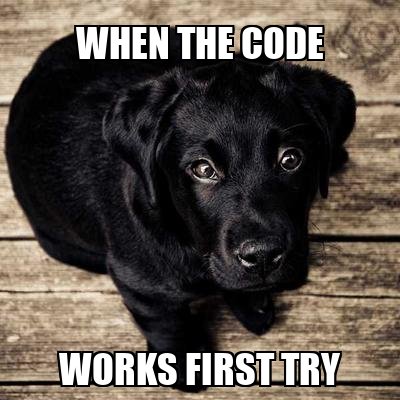
Top + bottom text, classic Impact font
Sample output — your files never leave your device.
Click or drop an image here
Keep going with what you just made.
Top + bottom text, classic Impact font
Sample output — your files never leave your device.
Drop in any image, type the top and bottom text, and watch the meme render live. Tune the font, size and colours, then download as JPG or PNG.
No — the downloaded image is clean. No watermark, no logo, no account required.
Yes — Impact is one of four fonts, alongside Arial Black, Georgia and Comic Sans, with adjustable size and stroke for that bold outlined look.
No — the caption is drawn onto your image on a local canvas. Nothing is transmitted, and the meme downloads straight from your browser.
Yes. Meme Generator is completely free on GenRise, with no limits, watermarks, or hidden paywalls.
No. Every GenRise tool works instantly in your browser — no account, email, or sign-up required.
No. Meme Generator runs entirely on-device using your browser, so your files are never uploaded or stored anywhere. All processing happens locally.
Meme Generator uses your browser's built-in capabilities — Canvas, WebAssembly, and File APIs — to process files locally. Add top and bottom captions to an image and download your meme. Simply open the tool, select your file, and the result is generated instantly on your device.
Yes. Since Meme Generator processes everything in your browser, your files never leave your device. There is no server-side storage, no tracking of file contents, and no data collection.
Yes. Meme Generator works on any modern browser, including mobile devices. It is fully responsive and optimized for both desktop and mobile use.
GenRise Meme Generator does the classic format: your image, bold top and bottom captions, live preview updating as you type. Pick from four fonts including Impact for the traditional look, scale the text, set the fill and outline colours, and toggle all-caps — then download as JPG or PNG. There's no watermark, no account, and no upload: the meme is drawn on a local canvas, so your template images stay on your device.
Meme Generator runs entirely in your browser. Anything you enter or upload is processed locally and never sent to a server. There is no account required, no tracking of your content, and no data collection.
ASCII Art Generator
Turn any image into text-based ASCII art.
Random Picker Wheel
Spin a wheel to randomly pick from your list of options.
Dice Roller & Coin Flip
Roll virtual dice or flip a coin with true randomness.
Fake Hacker Terminal
Play back any text as an animated hacker-style terminal typing effect.