
Click or drop an image here
Next step
Keep going with what you just made.
See it in action

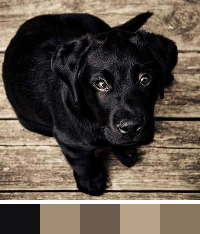
Pick exact hex codes from any pixel
Sample output — your files never leave your device.
Click or drop an image here
Keep going with what you just made.
Pick exact hex codes from any pixel
Sample output — your files never leave your device.
Upload the image, then click directly on the colour you want. The HEX code appears instantly — click it to copy. The RGB value is shown alongside it.
Yes. Each pick displays both formats — the HEX code like #10b981 and the RGB value like rgb(16, 185, 129) — and each copies with one click.
Yes. Every pick is saved as a swatch in the history row (up to 12), so you can sample several areas and copy any of them afterwards.
The Color Picker samples the exact pixel you click. The Palette Generator instead analyses the whole image and extracts its dominant colours automatically. Use the picker for precision, the palette for overall colour themes.
Yes. Color Picker from Image is completely free on GenRise, with no limits, watermarks, or hidden paywalls.
No. Every GenRise tool works instantly in your browser — no account, email, or sign-up required.
No. Color Picker from Image runs entirely on-device using your browser, so your files are never uploaded or stored anywhere. All processing happens locally.
Color Picker from Image uses your browser's built-in capabilities — Canvas, WebAssembly, and File APIs — to process files locally. Upload an image and pick exact pixel colors with hex codes. Simply open the tool, select your file, and the result is generated instantly on your device.
Yes. Since Color Picker from Image processes everything in your browser, your files never leave your device. There is no server-side storage, no tracking of file contents, and no data collection.
Yes. Color Picker from Image works on any modern browser, including mobile devices. It is fully responsive and optimized for both desktop and mobile use.
GenRise Color Picker lets you click any pixel of an uploaded image and read its exact colour as a HEX code and RGB value — tap either to copy it straight to the clipboard. Every pick is added to a history of up to twelve swatches so you can collect a palette from different spots before copying. It's the fastest way to match a colour from a logo, screenshot, design mockup or photo — and since the image is decoded on a local canvas, it never leaves your device.
Color Picker from Image runs entirely in your browser. Anything you enter or upload is processed locally and never sent to a server. There is no account required, no tracking of your content, and no data collection.